

Issuance flow
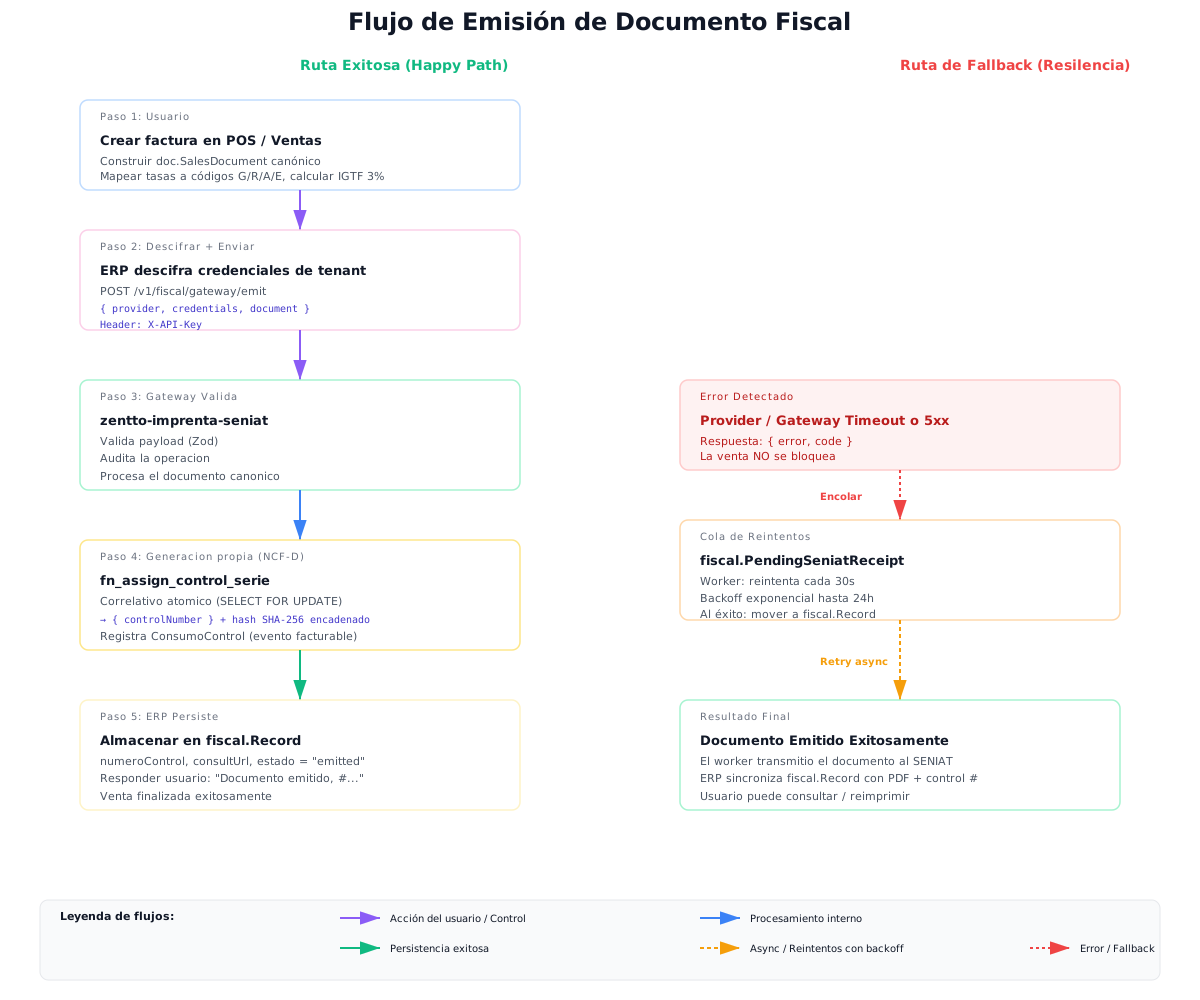
The diagram below summarizes the full issuance cycle in Zentto Digital Print, including the contingency path on unavailability.
Flow steps
Section titled “Flow steps”- Sale. The user issues an invoice from POS, the ERP Sales module, the vertical web front or an integrator.
- Canonical document build. The client transforms the sales document into the
canonical document: maps each line’s rate to its tax code (
G,R,A,E), computes the tax subtotals and IGTF (3%) on foreign-currency payments. - Issuance.
POST /v1/imprenta/documentos(vertical) orPOST /api/emit(integrator) is called. The service validates the schema (Zod) and audits the operation. - Atomic control-number assignment. In-house generation invokes
imprenta.fn_assign_control_serie(companyId, documentType, serie), which takes the next number of the active series with a row lock (SELECT ... FOR UPDATE). If the series is exhausted or missing, it returns422withserie_agotada_o_inexistente. - Integrity chaining. The SHA-256 hash is computed from
NCFD | RIF | Date | DocType | Total | PreviousHash | Timestamp, chained to the last hash of the same issuer RIF. - Consumption record (metering). A billable event is inserted into
imprenta."ConsumoControl". - Persistence. The document is stored with its
controlNumber,documentNumber, status and lookup data.
Contingency (non-blocking)
Section titled “Contingency (non-blocking)”SENIAT compliance transmission is asynchronous: each document is queued in
fiscal."SeniatDispatch" and a worker retries with exponential backoff
(fn_backoff_next: 1, 2, 4, 8, … up to 60 minutes), up to MaxAttempts.