

Financial Reports
The Reports module gathers every Accounting report in a single screen, organized in three tabs:
| Tab | Content |
|---|---|
| Contables (Accounting) | Journal book, General ledger, Trial balance, Income statement, Balance sheet, Cash Register Closing |
| Fiscales (VE) (Tax, VE) | Sales Book, Purchases Book, Inventory Book (Art. 177 LISLR) |
| Avanzados (Advanced) | Cash flow, AR/AP Aging, Ratios, Tax summary |
Main reports screen
Section titled “Main reports screen”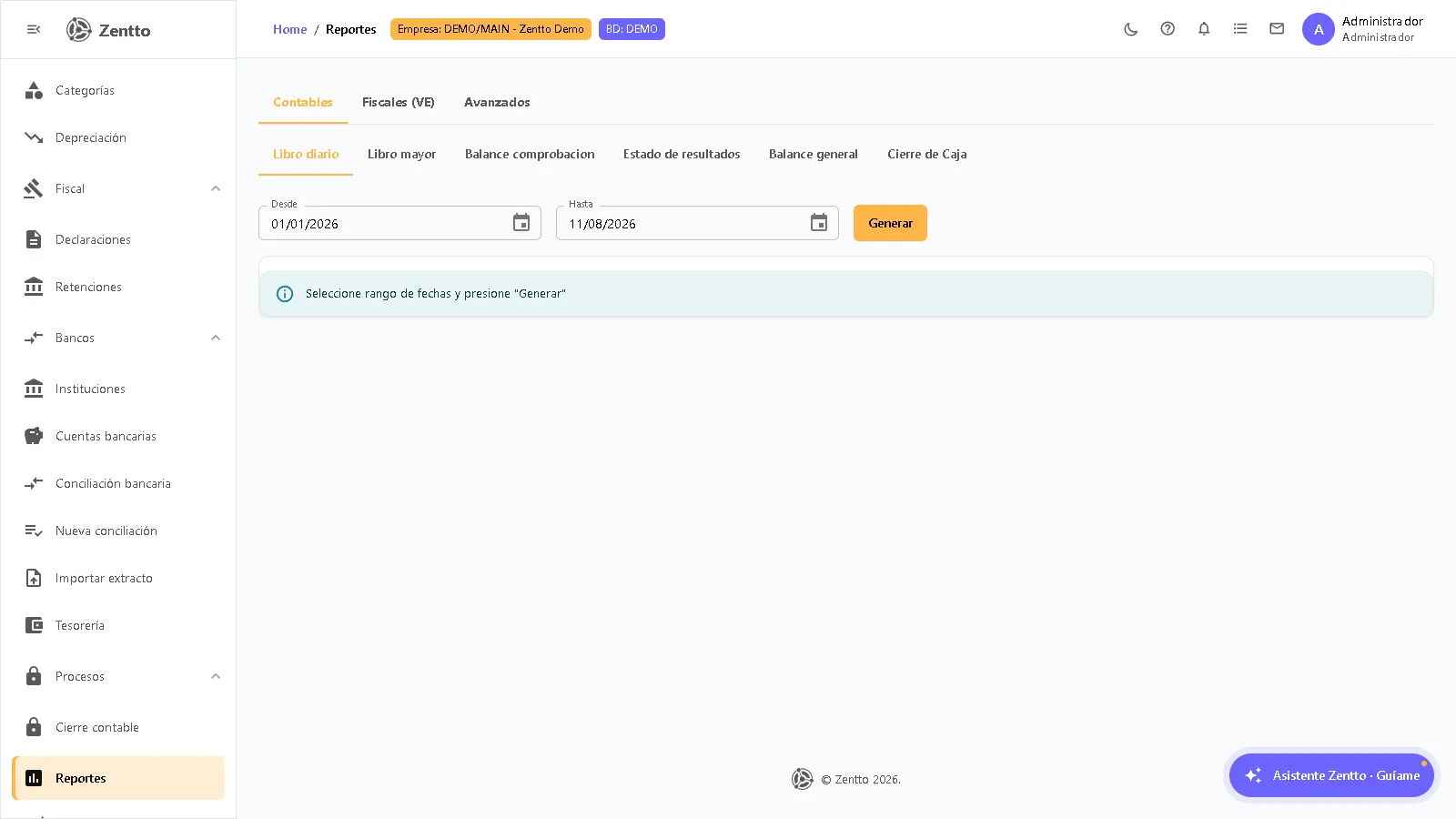
How to generate a report
Section titled “How to generate a report”- Go to Contabilidad → Reportes.
- Select the tab (Contables, Fiscales (VE) or Avanzados) and the report you need.
- Fill in the filters, which vary per report:
| Filter | Reports that use it |
|---|---|
| From / To | Journal book, General ledger, Trial balance, Income statement, Inventory Book (VE) |
| Period (month) | Sales Book (VE), Purchases Book (VE) |
| Cut-off date | Balance sheet |
| Date + Cashier | Cash Register Closing (empty cashier = whole company) |
- Click Generar (Generate).
- With the report on screen, use the printer button to print it in legal format.
Balance sheet
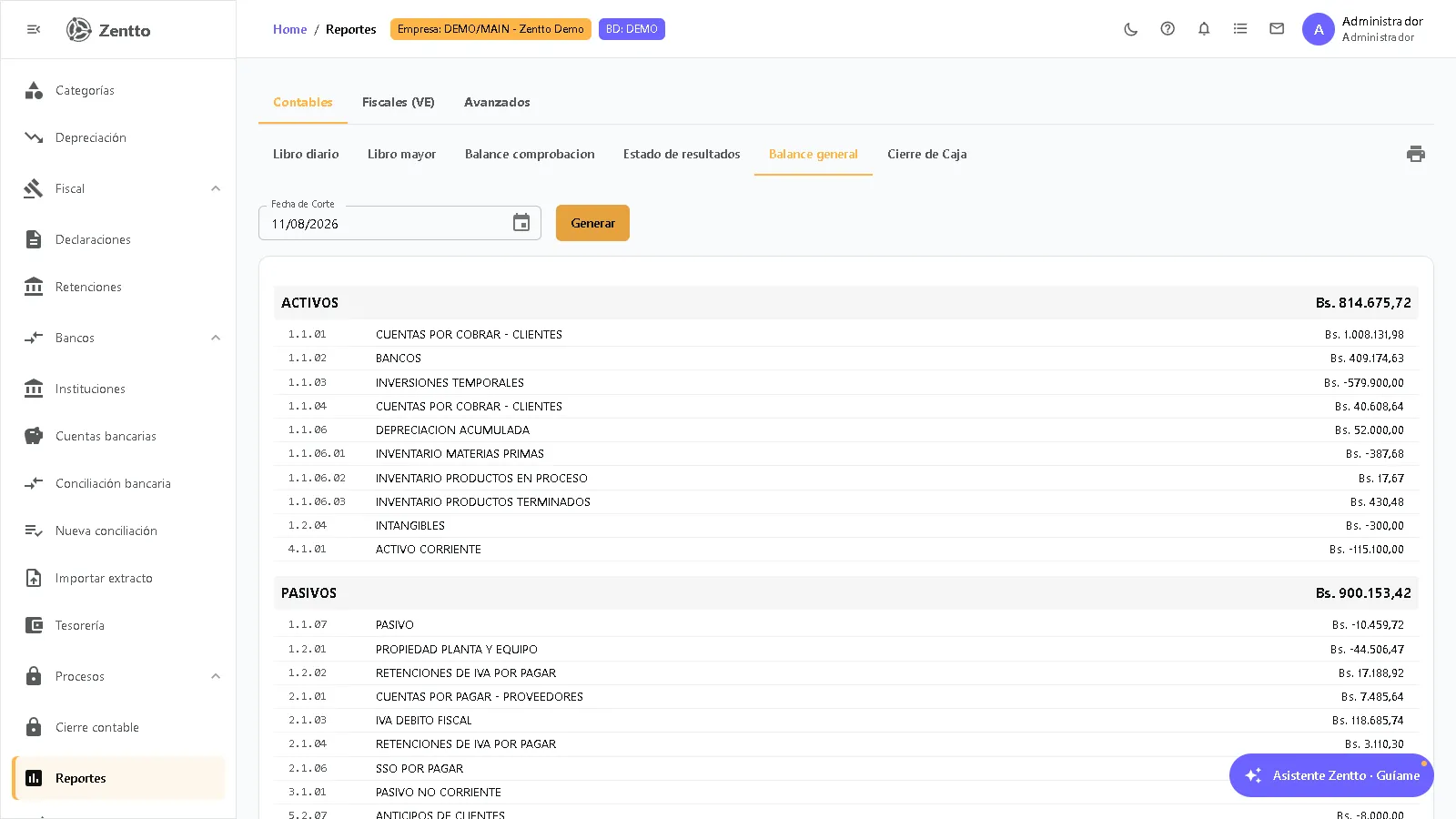
Section titled “Balance sheet”The balance sheet shows the company’s financial position at a cut-off date: what it owns (assets), what it owes (liabilities) and its net worth (equity).
Structure
Section titled “Structure”The report groups the accounts into three sections with their totals:
ASSETS                                   $X,XXX,XXXLIABILITIES                                $XXX,XXXEQUITY                                     $XXX,XXX
Total Assets                             $X,XXX,XXXTotal Liabilities + Equity               $X,XXX,XXXDifference (must be 0)                           0
The Difference (must be 0) line verifies the books are balanced: if it is not zero, there are unbalanced entries or misclassified accounts.
Income statement
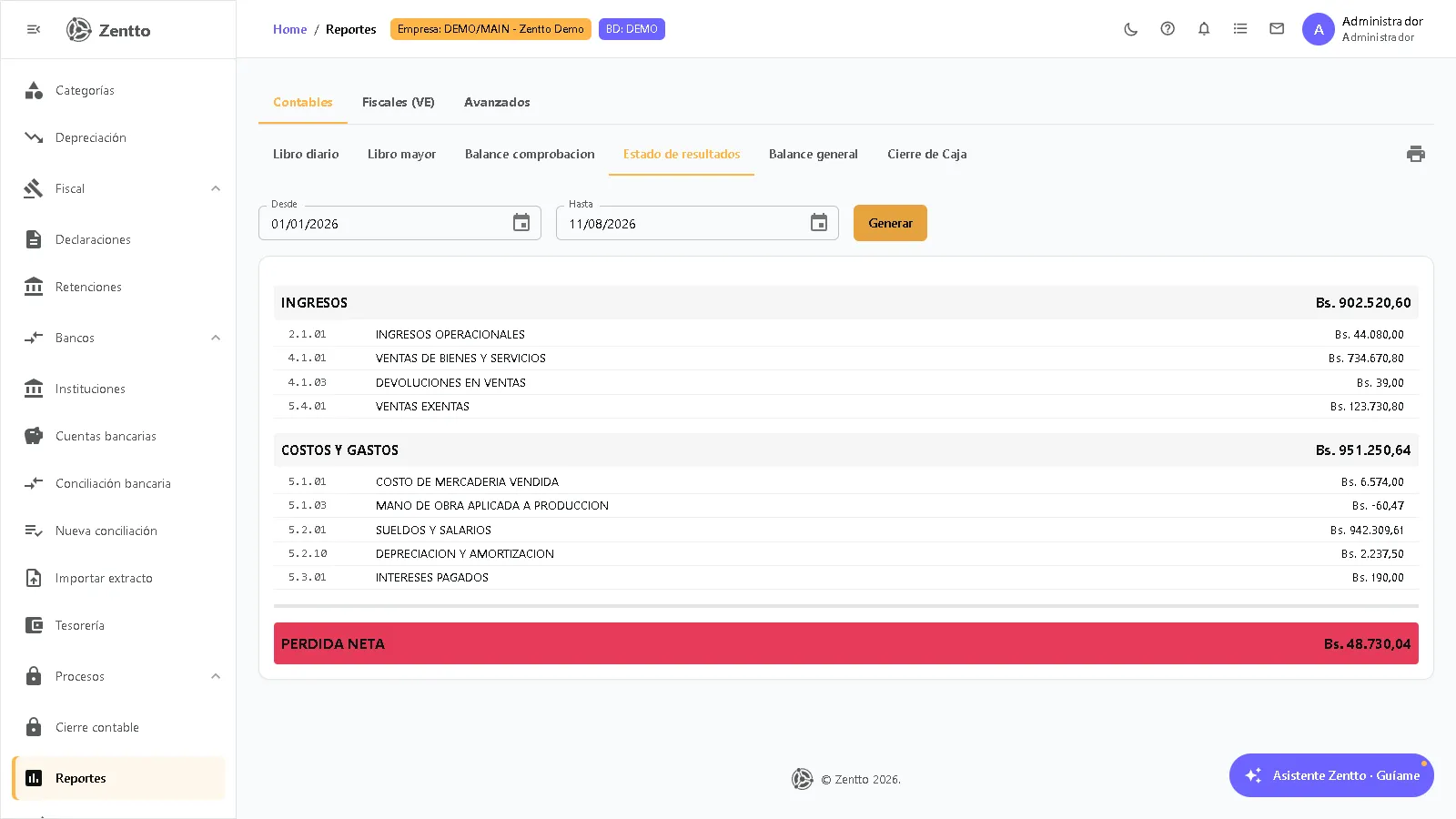
Section titled “Income statement”The income statement shows the company’s profitability over a period: income minus costs and expenses.
Structure
Section titled “Structure”INCOME $X,XXX,XXXCOSTS AND EXPENSES ($XXX,XXX)
NET PROFIT (or NET LOSS) $XX,XXXEach section lists the accounts with their amount for the period; the final result is shown as Net profit or Net loss depending on the sign.
Trial balance
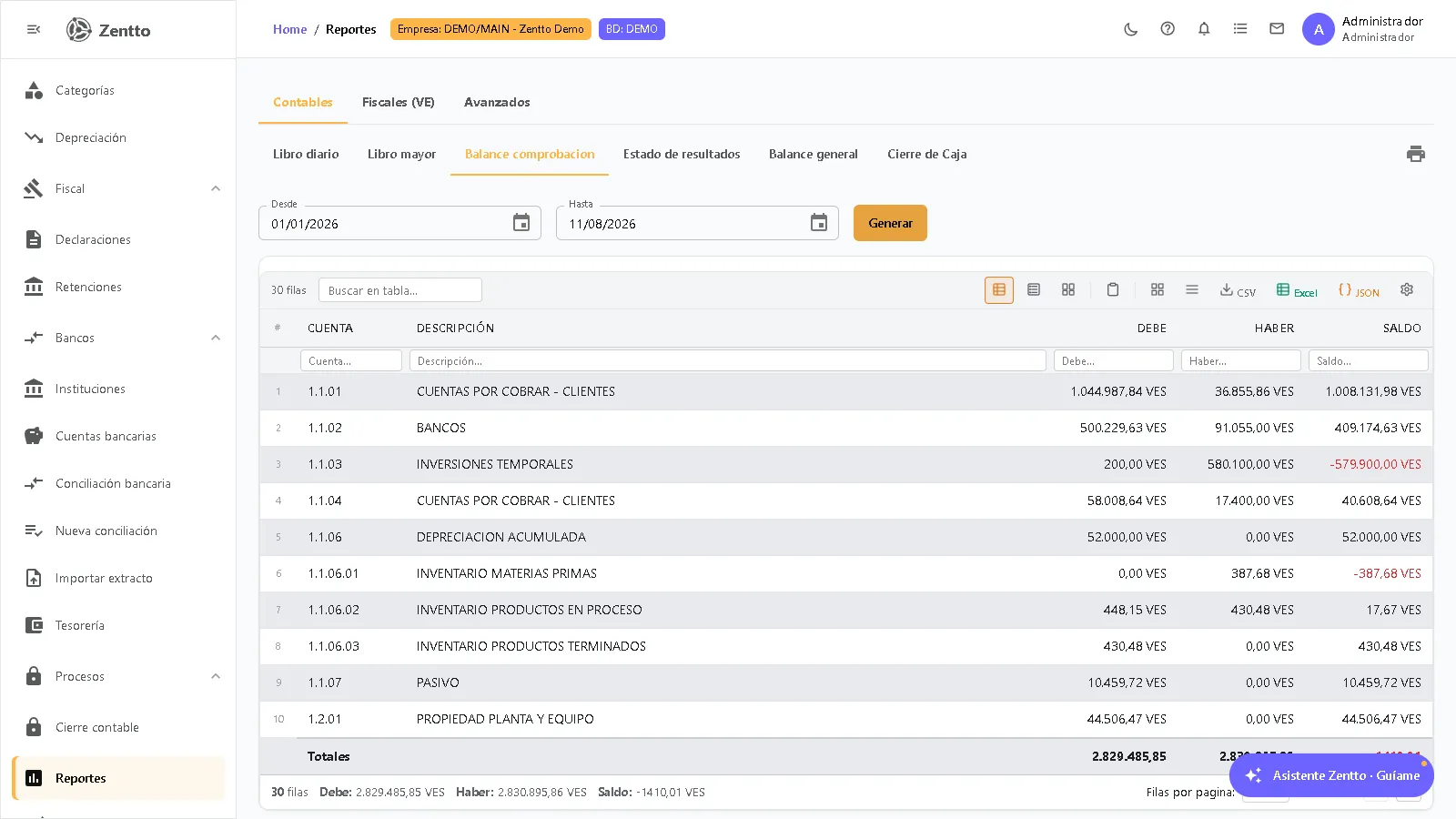
Section titled “Trial balance”The trial balance lists all accounts with their debit and credit balances, verifying that total debits equal total credits.
Journal book and general ledger
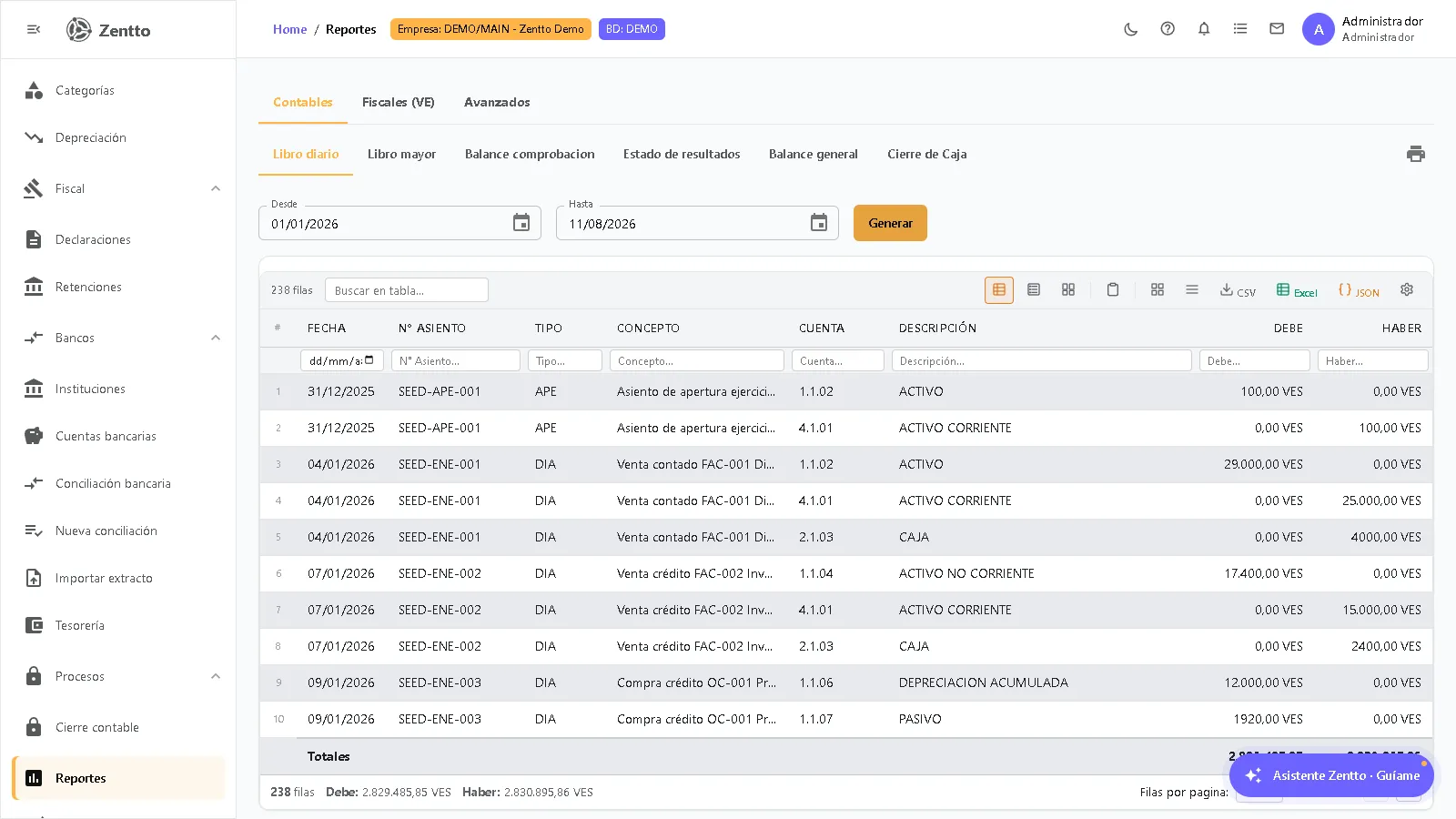
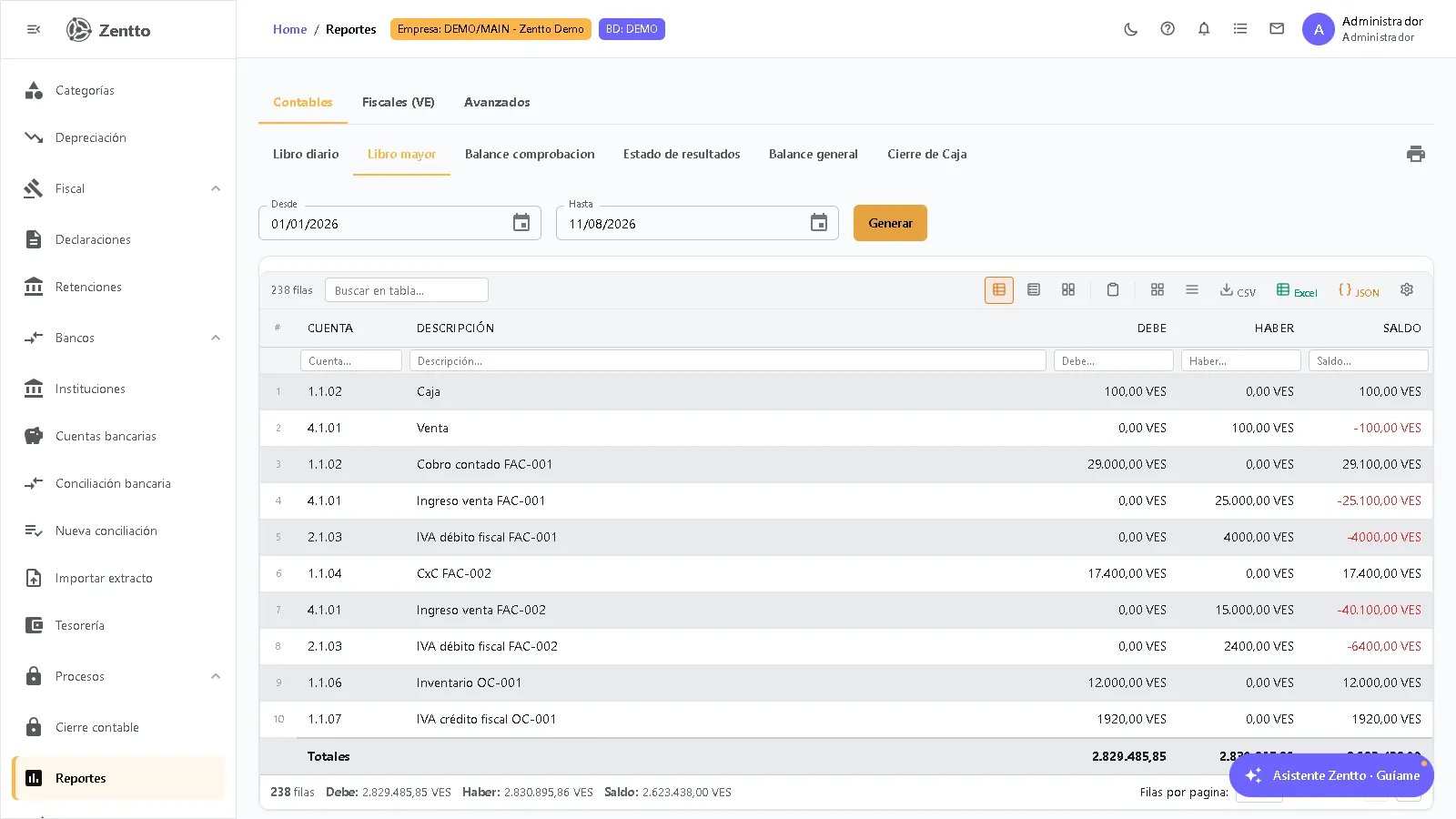
Section titled “Journal book and general ledger”The journal book shows every accounting entry of the period in chronological order. The general ledger shows the movements grouped by account, with the running balance.
Cash Register Closing
Section titled “Cash Register Closing”The Cash Register Closing report consolidates the day’s point-of-sale operations:
- Operations summary per concept, with amounts in Bs and USD.
- Invoices of the day, listed one by one.
- Cashier filter: enter a specific cashier or leave the field empty to see the whole company.
Tax books (VE)
Section titled “Tax books (VE)”The Fiscales (VE) tab contains the books required by Venezuelan regulations:
| Book | Detail |
|---|---|
| Sales Book | Invoices issued in the month, with taxable base and output VAT per rate, and the register of fiscal machines / series |
| Purchases Book | Invoices received in the month, with taxable base and input VAT per rate |
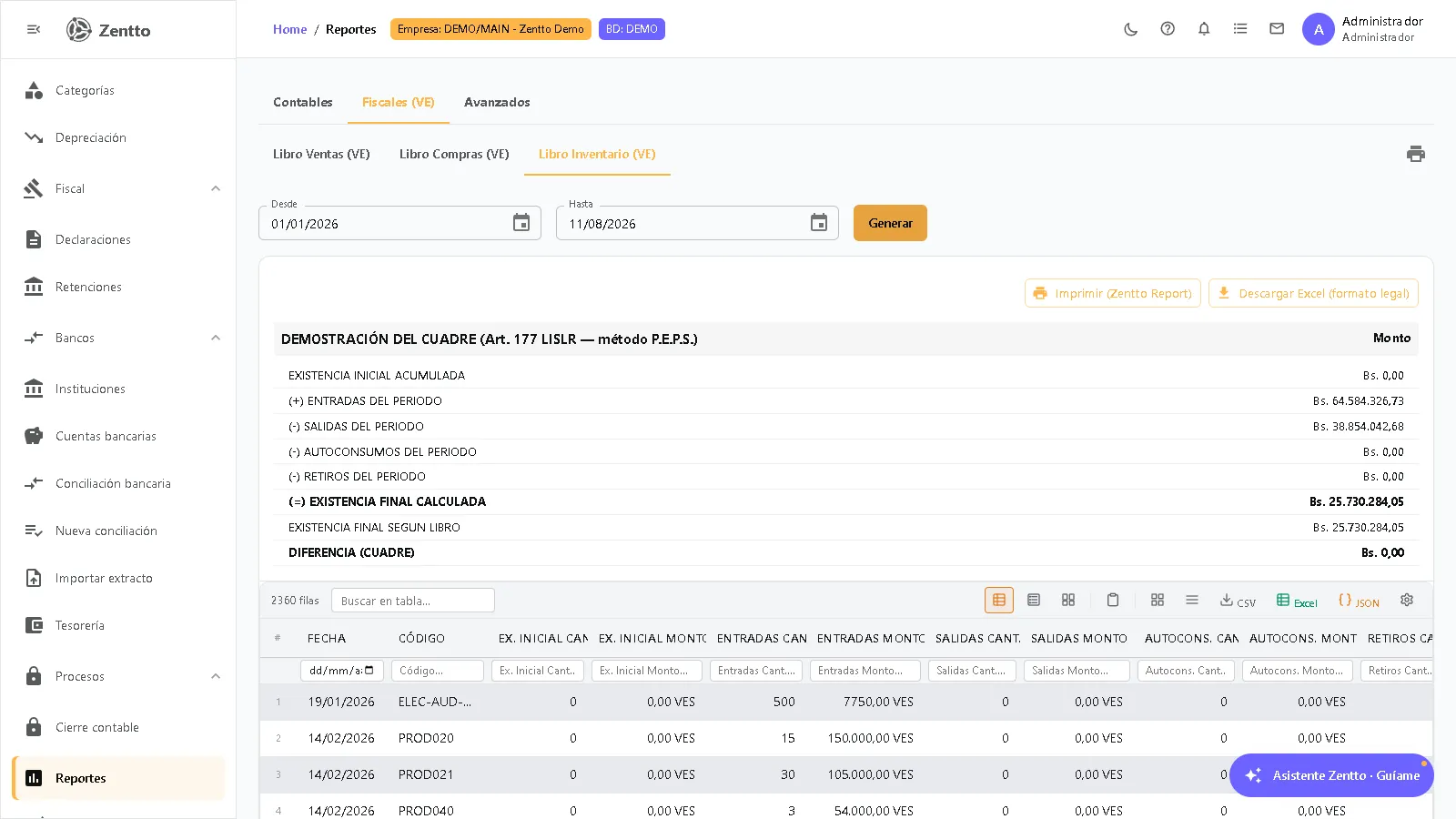
| Inventory Book | Valued inventory record under Art. 177 LISLR, FIFO (P.E.P.S.) method, with the “Demostración del cuadre” (balance proof) section |
Each book has the Imprimir (Zentto Report) button, which produces the document in legal format ready for filing. The Inventory Book also offers Descargar Excel (formato legal) (legal-format Excel download).
Export and print
Section titled “Export and print”| Action | Where |
|---|---|
| Print (legal format) | Printer button of the generated report |
| Imprimir (Zentto Report) | Sales, Purchases and Inventory Books (VE) |
| Download Excel (legal format) | Inventory Book (VE) |
| Export the table | Toolbar of each results table |
Custom reports
Section titled “Custom reports”To build your own reports with custom fields and filters (without depending on the fixed layouts), use Contabilidad → Reportes personalizados.
Related sections
Section titled “Related sections”- Chart of accounts — Structure of the reported accounts
- Journal entries — Source data for the reports
- Period closing — Period-closing reports